
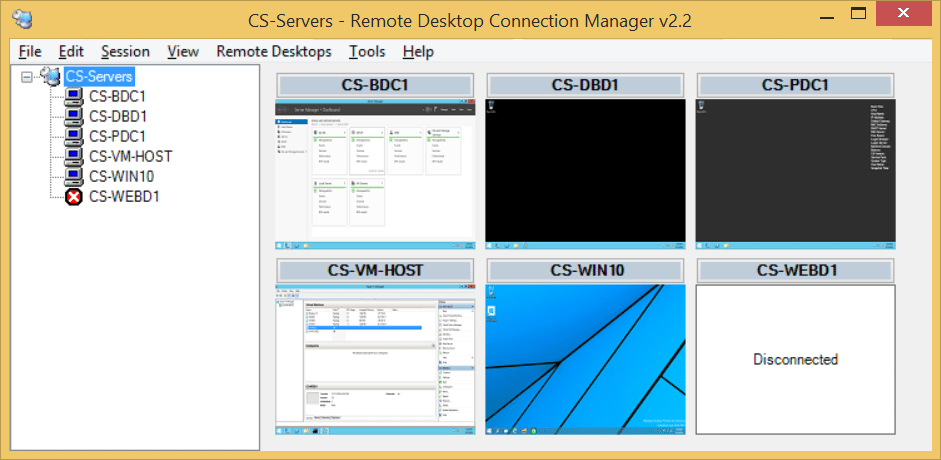
If you see Error 3334 when trying to connect to a remote server using Remote Desktop Connection Manager (RDCMan) then here is a fix you can try. This fix has been tested on Windows 8.1 64 bit machine running RDCMan 2.2. In some posts i read that by setting the No Authentication Required to Transaction Manager Communication you can get it work. But i am not very convinced with anything that opens any security loop holes.
[leaderad]
The Problem:
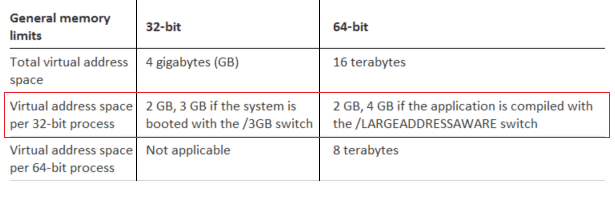
RDCMan is a 32-bit application so it has a limit of 2GB of address space. So as soon as it reaches that memory limit it starts throwing error 3334. To allow the RDCMan a larger address space we use the /LARGEADDRESSAWARE flag. The /LARGEADDRESSAWARE option tells the linker that the application can handle addresses larger than 2 gigabytes.
So what is this Large Address Aware?
Large Address Aware is an executable flag that tells Windows that a program can handle more than 2 GB of memory. Why this flag exists and it’s use is something that would take a lot of time to explain. But you can read all about LargeAddressAware at your pace.
The Solution: Here is how to apply the /LARGEADDRESSAWARE flag
1. You need Visual Studio installed to use the editbin command. You can download the free Visual Studio Express for Windows Desktop to get the editbin.exe binary.
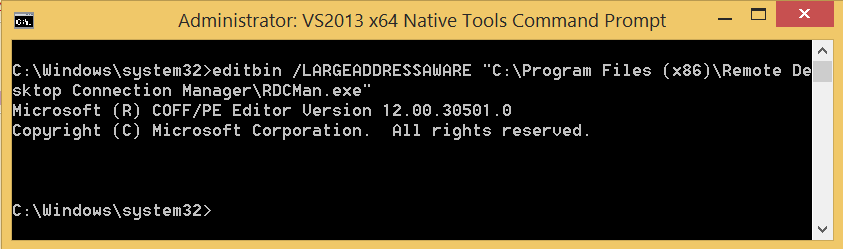
2. Run the Visual Studio Native Tools Command Prompt as Administrator. Key here is to run as Administrator.
3. Execute this command editbin /LARGEADDRESSAWARE “C:\Program Files (x86)\Remote Desktop Connection Manager\RDCMan.exe”
Try running RDCMan and connecting to your servers. Let me know how it goes for you.
Few other references:
http://msdn.microsoft.com/en-us/library/wz223b1z.aspx
http://support2.microsoft.com/default.aspx?scid=889654
If you enjoyed this post, please consider sharing, leaving a comment or subscribing to the RSS feed to have future articles delivered to your feed reader.

This is excellent, thanks!
Thanks Rob!
I’ve been having this issue for a long time and periodically have to restart remote desktop manager. I have applied your fix and will see if the problem stays away! This is one of the first fixes that actually makes sense.
Glad to help. Let me know how it goes.
This actually worked (whereas the DTC solution did not).
Many thanks! I can now easily handle 10+ connections.
Awesome!
Excellent, worked like a charm, finally able to handle more than 10 connections at once again! Sure would be nice if Microsoft would pay a little more attention to RDMan and come out with an update, tho.
Thanks, fixed RDP to Windows 2012 R2 Hyper-V host.
I am getting error that it cant open file
LINK : fatal error LNK1104: cannot open file ‘c:Program Files (x86)Remote Desktop Connection ManagerRDCMan.exe’
This can occur if you are not running the command prompt as Administrator. Key here is to run as Administrator.
Another solution would be to upgrade to 2.7. Support all the new OSs. http://blogs.technet.com/b/rmilne/archive/2014/11/19/remote-desktop-connection-manager-download-rdcman-2-7.aspx
i get the problem on ver 2.7 as well 🙁
Great solution thank you, this has plagued me for years. I actually just added the /LARGEADDRESSAWARE in my start up properties for the RDC manager and it works fine now, not sure about the edit bit but if it starts actting up again I will take the more advaned route you provided. Thanks again!!
Glad to help. Please share this solution.